Local vs cloud AI image generator
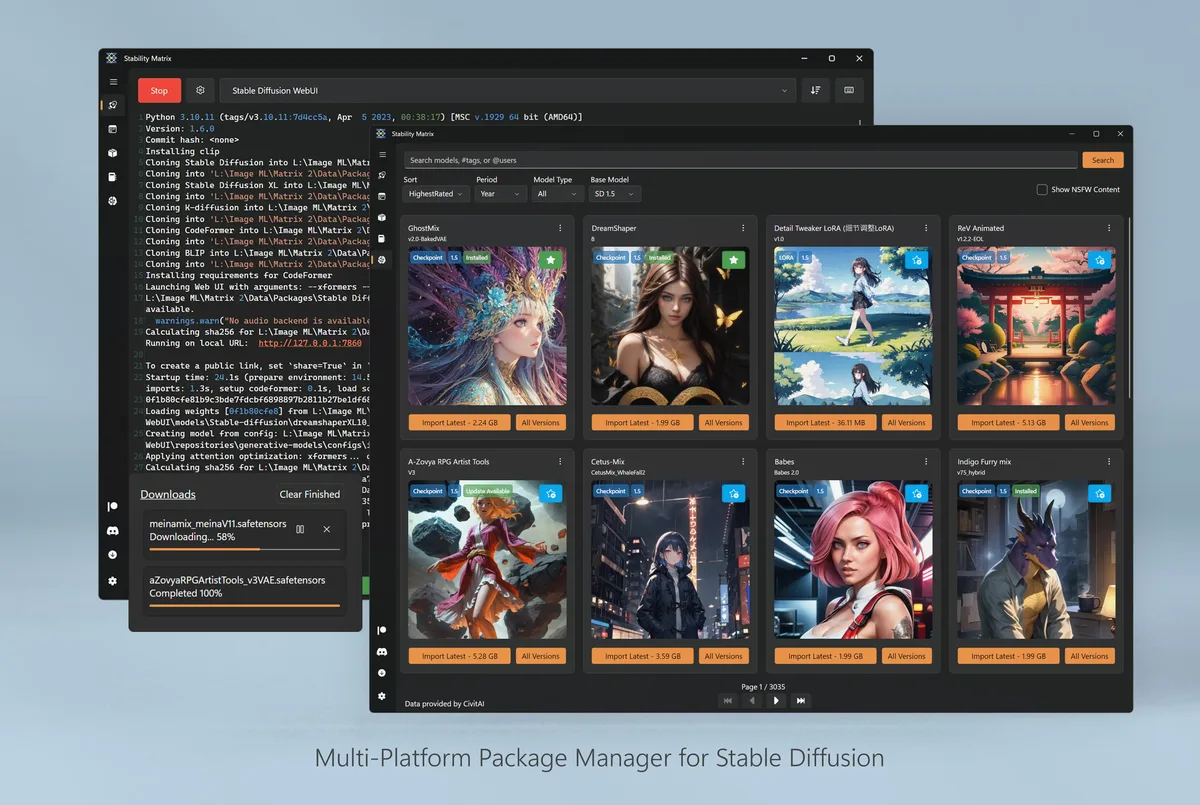
Choosing between a local AI image generator and a browser cloud studio is a workflow decision. Stability Matrix keeps packages and checkpoints on your disks. Cloud studios rent GPUs and store prompts on their servers. Both can produce images; they differ on privacy, cost shape, and install effort.
What stays on your machine
A local AI image generator download from GitHub Releases puts the launcher under your control. After packages and models land, you can often continue offline. Outputs live in folders you choose. That matters for client drafts, classroom labs, and any prompt you would rather not paste into a random website.
What cloud studios optimize
Browser tools remove GPU driver pain and ship instantly. They win on locked-down PCs and when you need a one-off image without installing software. You pay with accounts, usage meters, and terms that may train on or retain content depending on the vendor.
Cost shape
Local cost is hardware, electricity, and your time fixing drivers. Cloud cost is subscription or per-image billing that scales with volume. A busy shop with a good GPU often prefers a local AI image generator. A traveler on a thin laptop may prefer cloud for a week, then switch when back at a desk.
| Factor | Local desktop | Cloud browser studio |
|---|---|---|
| Install | Zip / DMG / AppImage | Account in browser |
| Models | On disk, shared folder | Vendor catalog |
| Offline | After downloads | Usually no |
| Privacy | Local folders | Vendor terms |
| GPU | Your hardware | Rented |
Migration habits
Moving from cloud to local means downloading models you have rights to use, installing from Releases, and recreating favorite settings by hand. There is rarely a one-click “import my cloud history.” Moving the other way means exporting PNGs and accepting the cloud account again.
Start local with one package and one small model. Keep the cloud tab until the local AI image generator path feels boringly reliable. Guides: Windows, first run, vs browser tools.
When local wins
Local wins for offline labs, private client work, large personal libraries, and anyone who already owns a capable GPU. The shared checkpoint folder reduces duplicate downloads across packages, which is a practical win for disk space.
When cloud wins
Cloud wins when you cannot install software, when the GPU is weak, or when legal review already approved a specific vendor. Do not force a local AI image generator onto a PC you do not administer.
- Document which door you used this month.
- Do not mix adware “accelerators” into either path.
- Re-evaluate cost after thirty days of real output volume.
Hybrid reality
Many people keep both: local for drafts, cloud for burst capacity. That hybrid still needs a clean local install from GitHub Releases so the AI image generator half of the workflow stays trustworthy. Releases: releases. Safe download: download safe.
Team policy
Write a one-page policy naming approved local assets and approved cloud vendors. Vague advice like “just use AI” pushes people into search ads. Precise asset names and vendor lists keep the AI image generator story auditable.
Operational checklist
Before you hand a machine to someone else, write down the AI image generator asset name, the data directory path, and the package you proved. Those three lines prevent adware shortcuts and confused helpdesk tickets. Prefer GitHub Releases for LykosAI/StabilityMatrix whenever the next upgrade is due.
If policy blocks unknown binaries, stop rather than force a wrapper. Use an approved cloud studio temporarily, then return to the local AI image generator path when you control the PC again. Independence from upstream means this guide can recommend hygiene without replacing official support channels.
Storage and backups
Checkpoints and packages grow quickly. Keep the data directory on a volume with free space, and back it up before reimaging. A portable layout helps when you move an AI image generator library between disks, but only after you confirm launches still work.
Document GPU driver versions beside the asset name when your shop cares about reproducibility. Driver mismatches look like mysterious package failures. Fix the environment before you replace a healthy launcher zip.
- Match filenames on Releases.
- Prove one package after every upgrade.
- Keep one update door forever.