AI image generator releases: which asset to take
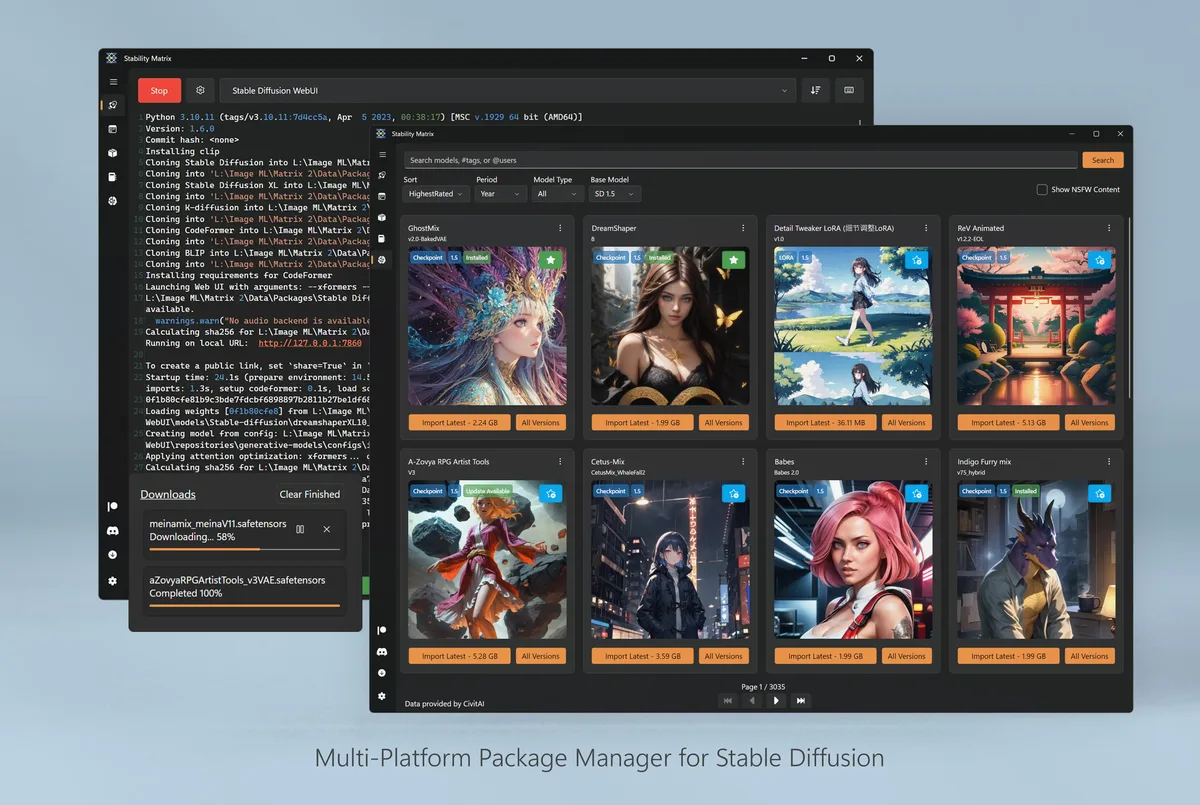
GitHub Releases for LykosAI/StabilityMatrix is the update door for this local AI image generator. Open the current v* tag, read the asset list, and match the filename to your OS before you click download. The InstallPanel on the home page mirrors the same picks at build time from live release data.
Windows assets
On Windows 64-bit, prefer StabilityMatrix-win-x64.zip as the primary AI image generator download. Extract the zip, then run StabilityMatrix.exe from the folder. No winget package was verified for this guide, so Windows stays on GitHub Releases.
macOS and Linux assets
On macOS Apple Silicon, take StabilityMatrix-macos-arm64.dmg from the same tag. Open the DMG and complete Gatekeeper prompts for an app downloaded from the internet. Intel mac builds are not listed on the verified release assets for this guide.
On Linux, take StabilityMatrix-linux-x64.zip, extract it, mark the AppImage executable, and run it. Arch users who prefer AUR can evaluate the stabilitymatrix package after they trust that PKGBUILD. Either door should land the same AI image generator launcher product line.
What to ignore
Checksum-looking sidecars and random forks are not the everyday AI image generator install. Confirm the repository owner is LykosAI. Safe path notes live on download safe. Machine chooser: for this computer.
One update door
After you pick an asset, keep one update door. The next AI image generator upgrade should return to the same Releases page instead of a new SEO mirror. Footer and stamp read the live release tag from GitHub data at build time, so prose does not hardcode a version pin.
If SmartScreen or Gatekeeper blocks the first run, re-check that the file name still matches the Releases list. Do not “fix” a blocked AI image generator install by grabbing a second binary from a review portal. Guides: Windows, macOS, Linux.
Portable zip notes
Windows zip users should extract to a stable folder and document that path for the next reimage. Keep the original downloaded name in a downloads archive so audits can match GitHub. Those habits keep the local AI image generator trustworthy months later.
Release cadence on LykosAI/StabilityMatrix has been regular v* tags with Windows, macOS, and Linux assets together. Read the release notes for breaking UI changes, then still prove one package launch after each upgrade. First hour: installed.
| OS | Primary asset | Notes |
|---|---|---|
| Windows | StabilityMatrix-win-x64.zip | Extract, run StabilityMatrix.exe |
| macOS | StabilityMatrix-macos-arm64.dmg | Apple Silicon |
| Linux | StabilityMatrix-linux-x64.zip | AppImage inside; AUR optional |
Document the install
When you document the install for someone else, write the asset name, the repository name, and the proof you expect after install. A note that only says “get an AI image generator” invites adware. A note that says “StabilityMatrix-win-x64.zip from LykosAI/StabilityMatrix Releases, then launch one package” is actionable.
Survive reimages
Shops that reimage PCs monthly should store the approved asset name in the image wiki. The AI image generator then returns with the same habits after each wipe. Portable zip users should keep the extract folder outside the user Downloads directory so cleanup scripts do not delete the app.
Watch filenames on new tags
If a release renames platforms, re-read the asset list before you script downloads. Filename tokens such as win-x64, macos-arm64, and linux-x64 are the practical checksum for humans who will not run hashing tools every time. Still prefer official Releases over mirrors that strip those tokens.
Disk and GPU reality
Local packages and checkpoints need disk space. Prove a small model first when the drive is nearly full. Large libraries deserve a free-space glance before you walk away from a multi-gigabyte download.
- GPU users should confirm drivers before blaming the AI image generator launcher.
- CPU-only trials still work for learning menus, then move to a GPU machine for speed.
- Both groups benefit from one documented data directory.
Second-hour skills
Extra packages, training tools, and custom launch args are upstream strengths. Treat them as second-hour skills. The first-hour bar for this AI image generator remains one launcher and one honest package start. That bar catches wrong binaries faster than feature tours.
Antivirus and classrooms
When an antivirus quarantines the zip, check the filename against GitHub Releases before you restore from a random mirror. If the name matches upstream and your security team allows it, restore that same file. If the name drifted, delete it and download again from Releases.
Teachers and lab managers can keep a known-good zip on an internal share that still originated from GitHub Releases. Record the tag and asset name on the share README. Students then install the same AI image generator without surfing adware SERPs.