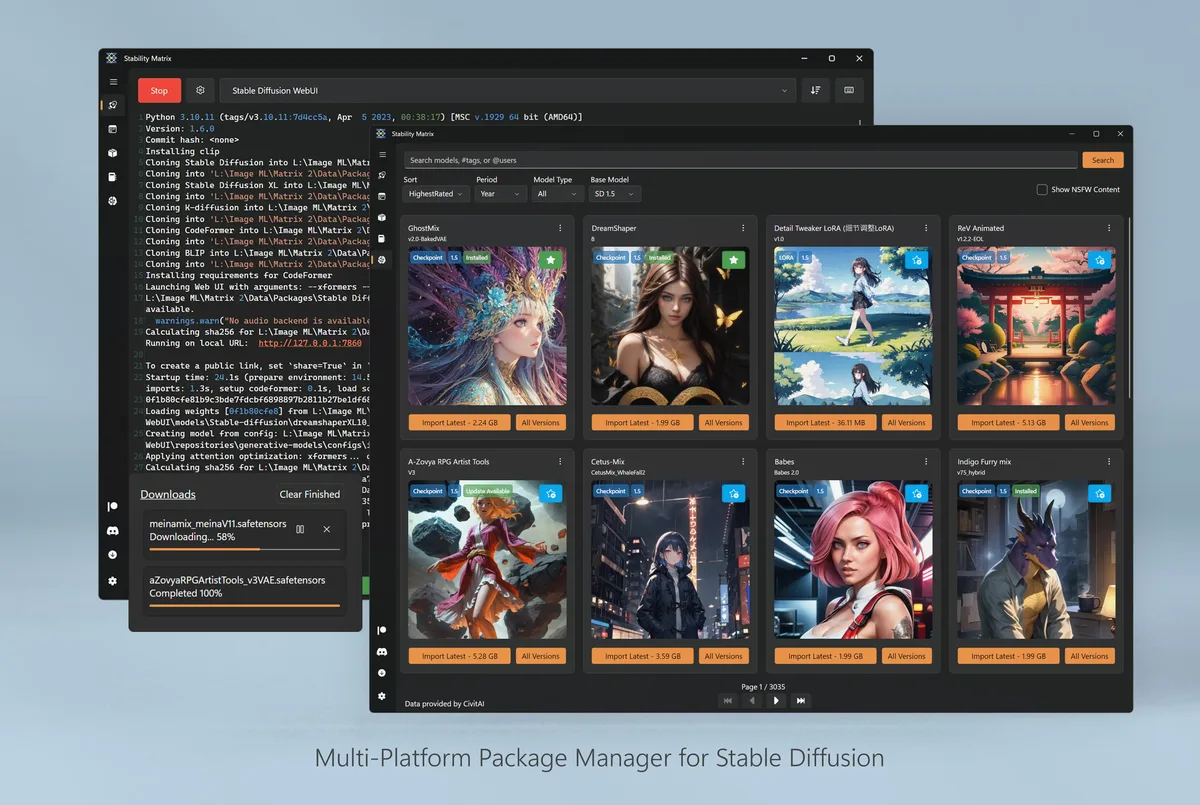
On Apple Silicon Macs, download StabilityMatrix-macos-arm64.dmg from GitHub Releases. Open the DMG and complete Gatekeeper prompts for an app from the internet.
Intel Mac users should confirm whether upstream published a matching asset before forcing the arm64 build. This AI image generator guide maps the published arm64 DMG only.
Confirm the data directory, install one package, and prove a launch. Continue with first hour and download safe.
Keep the install boring
A reliable AI image generator install is dull on purpose. One GitHub Releases asset, one extract folder, one data directory, and one package launch beat a pile of mirrored setups. Write those four facts into a notes file so the next reimage does not start with a search ad.
When teammates ask how the machine was set up, point them at the asset filename and the repository owner LykosAI. Vague advice invites Softonic-style wrappers. Precise filenames keep the AI image generator path auditable for classrooms and small studios.
Disk, GPU, and patience
Local packages need disk space and often prefer a supported GPU. Confirm free space before you download several multi-gigabyte checkpoints. Install vendor GPU drivers from the hardware maker when a package expects CUDA, ROCm, or DirectML. A CPU-only first launch can still prove menus while drivers catch up.
Network meter limits matter on travel SIMs. Prefer a small model for the first proof, then schedule larger downloads on wired networks. The launcher’s pause and resume features help, but the AI image generator zip itself should still come from official Releases.
After it works
Once a package launches, grow slowly. Add a second package only when the first workflow is boring. Keep GitHub Releases bookmarked as the update door. Safety and download hygiene notes live on the cluster pages linked from the home hub.
If something fails after an OS update, re-check the asset name, the data directory path, and GPU drivers before you replace the whole install. Most AI image generator breakages are environmental, not mysterious. Return to the first-hour checklist when you need a clean baseline again.
- Prefer official Releases over search ads.
- Prove one package before collecting five.
- Back up the data directory before major moves.
Classroom and shop notes
Teachers and small shops should record the approved AI image generator asset name on an internal wiki. Students then avoid adware SERPs. A note that cites StabilityMatrix-win-x64.zip from LykosAI/StabilityMatrix Releases is actionable; a note that only says “install AI art software” is not.
Shared PCs need a clear owner for the data directory. Without that owner, checkpoints accumulate until the disk fills and nobody knows which models are safe to delete. Schedule a monthly review of the shared folder after the AI image generator becomes part of weekly work.
Release hygiene
When a new v* tag appears, read the release notes, download the matching asset, and prove one package launch again. Footer and install panel read the current release from GitHub data at build time so you are not trusting a hardcoded version string in old blog copy.
If upstream renames an asset, re-read the Releases list before you script downloads. Filename tokens such as win-x64, macos-arm64, and linux-x64 are the practical checksum for humans who will not hash every file. Prefer official Releases over mirrors that strip those tokens from the AI image generator download.
Privacy and outputs
Local generation keeps drafts on your disks, which helps client work and classroom policies. Still treat model licences seriously: some checkpoints restrict commercial use. Keep a short list of models you are allowed to ship. Outputs from an AI image generator are not a substitute for legal review when a client needs warranties.
Do not paste API keys, private URLs, or personal data into prompt fields on shared machines. Rotate anything that might have been typed into a demo. The launcher is local, but habits still leak secrets when people rush.
When to stop
Stop and escalate if your organization forbids unknown binaries, if the GPU is missing and the deadline is today, or if you cannot match the official filename. A blocked AI image generator install is better than a compromised one. Use a machine you administer, or stick to an approved cloud studio until policy changes.
Return to the home hub for the install panel, the releases table, and the first-hour checklist. Those pages stay aligned with GitHub Releases so the AI image generator story remains consistent across Windows, macOS, and Linux.
Frequently asked questions
Is Stability Matrix free?
Yes. Stability Matrix desktop builds are free under AGPL-3.0, and GitHub Releases assets for a local AI image generator have no paywall on the Windows zip, macOS DMG, or Linux zip this guide maps.
Where should I download?
Download from GitHub Releases for LykosAI/StabilityMatrix only. Prefer StabilityMatrix-win-x64.zip on Windows, StabilityMatrix-macos-arm64.dmg on Apple Silicon, and StabilityMatrix-linux-x64.zip on Linux x64. Skip Softonic-style wrappers that rename the AI image generator setup.
Does it work offline?
Yes for inference after packages and models are on disk. You still need network for the first download of the AI image generator launcher, packages, and checkpoints from official sources.